How do I update my Payment Type for Auto-Renewal?
Updated: 03/01/2022
Article #: 13
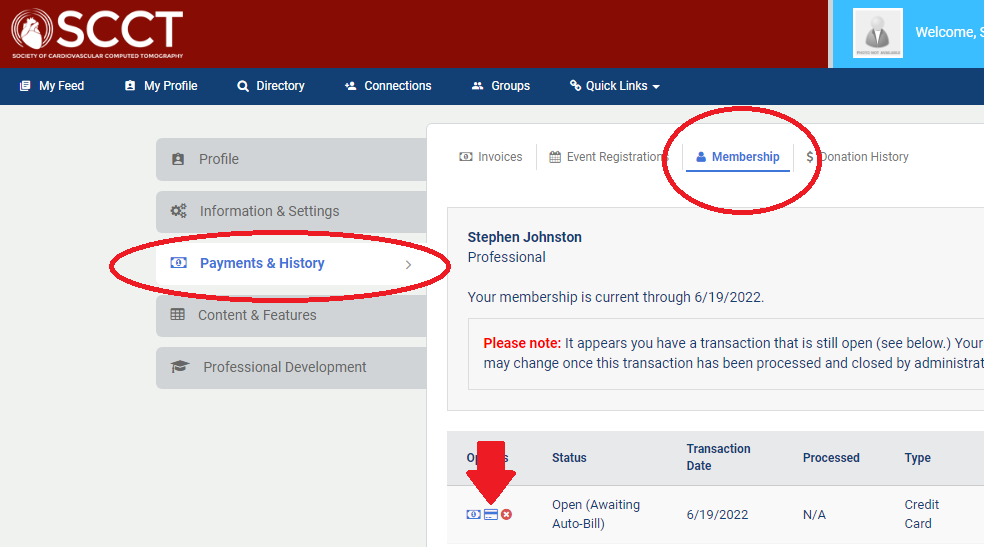
-Log into SCCT
-Select Payments and History
-Select Membership
-Click on the Credit Card Icon an update your Payment information
-Select Submit Updated Information
|
Rate this Topic:
|
|||
|
